Physical Address
304 North Cardinal St.
Dorchester Center, MA 02124
Physical Address
304 North Cardinal St.
Dorchester Center, MA 02124

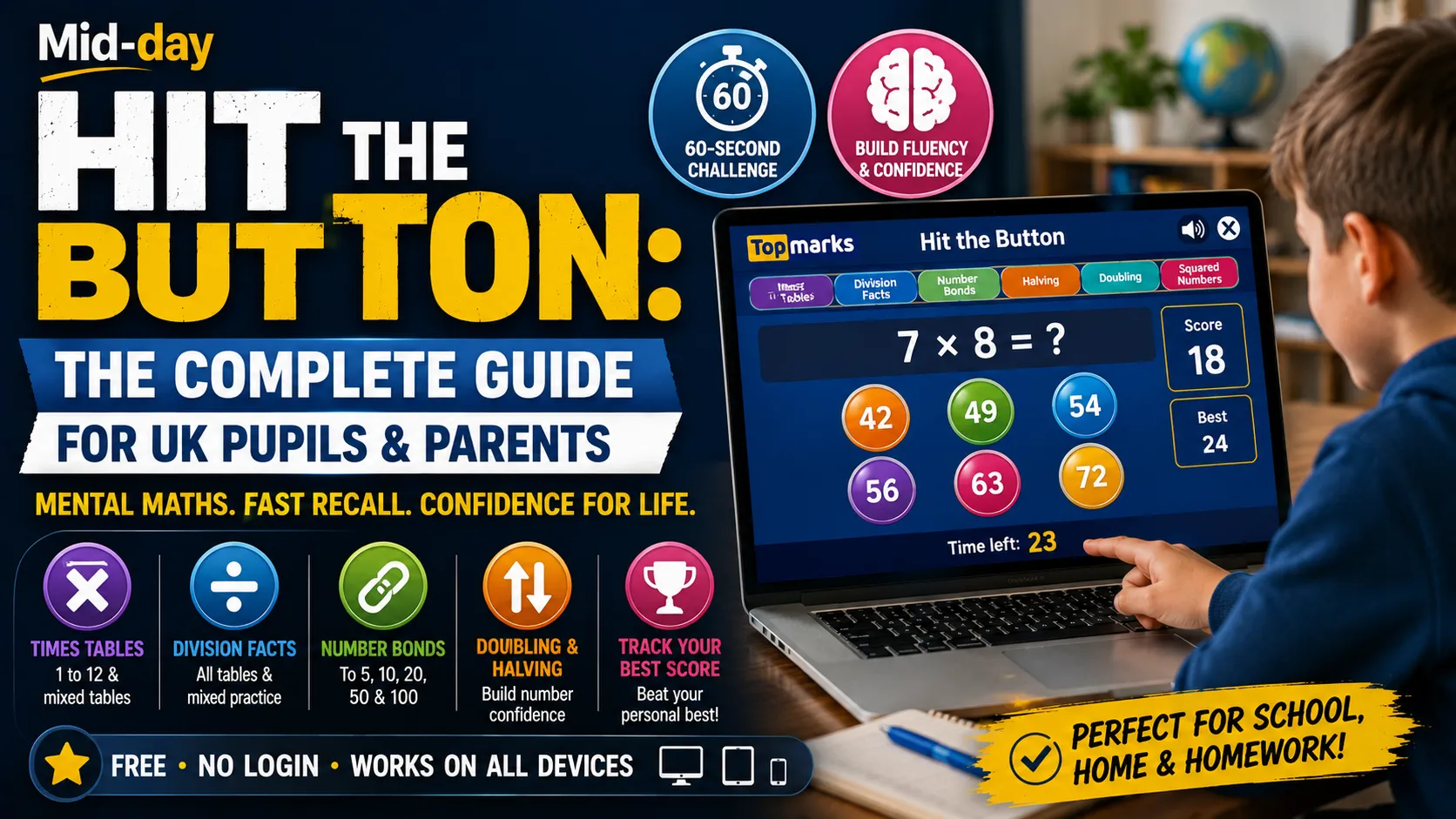
Ask almost any primary school teacher in England which maths game they use more than any other, and the chances are high that Hit the Button comes near the top of the list. It is a free, browser-based mental maths game on the Topmarks website that has become a fixture in thousands of UK classrooms and a go-to tool for parents supporting maths at home. Simple in concept, genuinely effective in practice, and completely free to use without any account.
This guide covers everything you need to know: what Hit the Button is, how it works, which topics it covers, how to use it effectively as a teacher or parent, and how it compares to other maths practice tools.
Hit the Button is a free interactive mental maths game created by Topmarks, a UK educational website that has provided free teaching resources for UK primary schools since 1998. The game presents rapid-fire math questions and asks players to click the correct answer from a set of bubbles before the time runs out. Each session lasts 60 seconds.
The game is designed for children in Key Stage 1 and Key Stage 2, broadly ages 5 to 11, and covers the core mental maths facts that underpin primary school mathematics in England: times tables, division facts, number bonds, halving, and doubling. It is accessible directly at topmarks.co.uk/maths-games/hit-the-button with no download, no login, and no charge.
The gameplay is straightforward, which is a deliberate and important feature of its design.
The game works on desktop computers, laptops, and tablets. On a touchscreen it functions as a tap game rather than a click game, which makes it fully usable on school iPads and Chromebooks. No mouse is required.
Hit the Button covers the main mental math fact families that the national curriculum for England requires children to know by the end of primary school. The topic selection menu currently includes:
Times Tables
Division Facts
Number Bonds
Halving
Doubling
Squared Numbers
The coverage of all these topic areas within one free tool means Hit the Button can be used across all primary year groups, from Reception and Year 1 practicing number bonds to 5 and 10 through to Year 6 students consolidating all 144 times table facts before secondary school.
The topics in Hit the Button directly match the multiplication and division fact requirements of the National Curriculum for England. By the end of Year 4, all children are expected to know their times tables up to 12 times 12, and this expectation is formalized through the Multiplication Tables Check (MTC) that Year 4 children sit for each summer term.
Hit the Button covers exactly the content the MTC assesses, in a format that builds the rapid recall the check requires. This direct alignment is the most practical reason teachers use it rather than other, more generalist math games.
A 60-second Hit the Button session takes less than two minutes, including setup. This makes it practical as a daily lesson starter that does not eat significantly into teaching time. The whole class can work simultaneously on individual devices, or the teacher can display the game on an interactive whiteboard and have the class call out answers together.
Because Hit the Button requires no account, no data entry, and no teacher setup beyond navigating to the website and choosing a topic, it can be used spontaneously. A teacher who decides mid-morning that the class needs times-tables practice can start a session in under 30 seconds. This zero-friction approach is consistently cited by teachers as one of the most practically valuable features.
The end-of-session score, displayed alongside the child’s personal best for that topic, provides immediate feedback without requiring any teacher marking. Children can see their progress over time by comparing current scores to best scores, which creates its own motivational dynamic without any external reward system.
Hit the Button is most effective when the topic selected directly matches what the class is currently learning. Using it to practice a times table the class has not yet encountered produces frustration rather than fluency. Set the specific table, division fact family, or number bond range that is the current focus of your teaching program.
Research on mathematical fluency consistently points to the value of frequent, short practice over occasional long sessions. Five minutes of Hit the Button three times a week produces better recall gains than 15 minutes once a week. If possible, build it into the routine at the same time each day so it becomes a habit rather than an event.
For times tables, most teachers recommend working through the tables in an established order (usually 2s, 5s, 10s, then 3s, 4s, 6s, 8s, then 7s, 9s, 11s, 12s) rather than jumping between them. This approach builds from easier patterns to harder ones and reduces interference between similar facts. Hit the Button supports this by allowing teachers to select the exact table being focused on rather than always using a mixed setting.
In whole-class settings, some caution is warranted about turning Hit the Button scores into a public competition, since children who find mental recall difficult can find comparative scoring demoralizing. Framing the personal best element as a competition against your own previous score, rather than against other children, maintains motivation more constructively.
In Year 4, the Multiplication Tables Check format is a 25-question online assessment completed in 25 seconds, covering all tables from 2 to 12. Hit the Button’s 60-second timed format provides useful preparation for the speed and format of the MTC, though teachers should be aware the MTC uses a specific randomized format rather than the single-table selection that Hit the Button offers.
The most important first step for parents is to know which specific times table or math fact family your child’s class is currently practicing at school. Ask your child or check the school newsletter or communication app. Then set Hit the Button to that exact topic rather than using a mixed setting.
Five minutes, three or four times a week, is more effective than a 20-minute session at the weekend. Mental math fluency builds through repetition over time, not through marathon sessions. Keeping it short also prevents it becoming a chore.
The personal best display at the end of each session gives children something to aim for without adult pressure. Let your child try to beat their own score rather than framing it as a homework task with a minimum requirement. This approach tends to maintain motivation over a longer period.
Hit the Button covers recall of facts but not the problem-solving or reasoning skills that are equally important in primary math. If you are doing home math practice, use Hit the Button as a warm-up for five minutes before working on written problems, reasoning tasks, or whatever the school has set as homework.
Once your child is confident on a times table, testing the equivalent division facts is the logical next step. Division facts for the 6 times table mean questions like “42 divided by 6 equals what?” and “54 divided by 6 equals what?” This builds the inverse operation understanding that helps children solve division problems quickly.
Both Hit the Button and Daily 10 are on Topmarks, both are free, and both are widely used in UK primary math. They serve different purposes, and the most effective classroom use of Topmarks typically involves both.
| Feature | Hit the Button | Daily 10 |
|---|---|---|
| Format | Timed (60 seconds), player clicks answers | Ten questions, teacher-paced or timed |
| Best for | Rapid recall of specific fact families | Varied mental math across a topic at year-group level |
| Interactivity | The player controls pace through clicking | The teacher controls pace or auto-timer |
| Topic focus | Times tables, division facts, number bonds, doubling, halving | Wider range: addition, subtraction, place value, rounding, fractions |
| Classroom use | Individual devices or whole-class timed challenge | Interactive whiteboard whole-class activity |
| Ideal session length | 60 seconds | 5 to 10 minutes |
In practice, Daily 10 works better as a structured whole-class starter covering a range of skills, while Hit the Button works better for targeted individual practice of specific fact families. Many teachers use Daily 10 at the start of a lesson and Hit the Button during independent practice time or as a home learning suggestion.
Times Tables Rock Stars (TTRS) is a paid subscription service widely used in UK primary schools, often funded at the school level so children can access it for free. It covers the same times tables content as Hit the Button but with a gamified progression system, school leaderboards, and detailed teacher reporting.
| Feature | Hit the Button | Times Tables Rock Stars |
|---|---|---|
| Cost | Free, no subscription | Paid subscription (usually school-funded) |
| Account required | No | Yes (pupil login) |
| Reporting for teachers | None | Detailed per-pupil reporting |
| Gamification | Score and personal best only | Full character progression, school competitions |
| Coverage | Times tables, division, number bonds, doubling, halving | Times tables and division only |
| Platform | Browser only | Browser and app |
For individual home practice with no school subscription in place, Hit the Button is the clearest free alternative. For schools that have invested in TTRS, Hit the Button remains useful for covering number bonds and other topics outside the TTRS scope.
The 60-second format is pedagogically sound. Mental math fluency is specifically about speed of recall, not just accuracy. A timed challenge that creates mild urgency is a more effective tool for building retrieval speed than untimed practice, because it conditions the recall mechanism to work quickly. The 60-second window is short enough to maintain focus throughout and long enough to provide meaningful practice.
Personal best framing is more effective than comparison framing. The game shows your current score against your best score rather than against other players. This is a design choice that reflects educational psychology evidence on intrinsic motivation: comparing yourself to your own previous performance tends to maintain engagement more sustainably than external comparison with others.
The bubble-clicking interface builds pattern recognition alongside recall. When the correct answer appears among distractor answers, children are not just recalling facts in isolation. They are learning to quickly identify the correct option from plausible alternatives, which is exactly what the multiplication tables check format requires.
Zero friction supports high frequency, and frequency drives fluency. The biggest barrier to regular math fact practice is not motivation but setup time. When a teacher can open a specific times table practice in 15 seconds with no tech prep, the game gets used. When it requires a login, a password, and a five-minute setup, it gets skipped. Hit the Button’s zero-friction model is not just a convenience feature; it is a significant reason for its effectiveness at driving the regular repetition that builds fluency.
Always using the mixed setting rather than single tables. Mixed-table practice is valuable once children know each table well. Using it too early, before individual tables are secure, produces low scores that feel discouraging rather than challenging. Start with single tables and move to mixed only when most questions are being answered correctly.
Using it for too long in one session. Sixty seconds is the right session length. Running back-to-back sessions without a break works against the freshness of attention that makes the game effective. Three or four rounds with a brief break between, or spread across a morning, works better than a continuous block.
Not changing the topic when the child is clearly ready. If your child is consistently getting near-perfect scores on a times table, that fact is family secure. Move on to the next table or to the division facts rather than staying on a topic that no longer challenges recall.
Using it as the entire home math practice. Hit the Button builds fact recall. It does not build reasoning, problem-solving, or written calculation skills. These are developed through different types of practice and remain essential for primary math success.
Hit the Button has remained one of the most-used math practice tools in UK primary schools for a simple reason: it does exactly what it is designed to do, quickly and without friction. It builds the rapid mental recall that underpins the National Curriculum’s times tables expectations and the Multiplication Tables Check-in in a 60-second format that fits into virtually any part of the school day or home routine.
It is free, needs no account, and works on any modern device. For teachers wanting a reliable lesson starter or home learning suggestion and for parents looking for structured but engaging math practice outside school, it is one of the most practical tools available.
What is Hit the Button? Hit the Button is a free mental math game on the Topmarks website (topmarks.co.uk/maths-games/hit-the-button). Players answer rapid-fire math questions by clicking the correct answer bubble within 60 seconds. Topics include times tables, division facts, number bonds, doubling, and halving.
Is Hit the Button free? Yes. Hit the Button is completely free to use, requires no account or login, and involves no in-app purchases. It is funded through advertising on the Topmarks website.
What age is Hit the Button for? Hit the Button is designed for primary school children aged 5 to 11, covering Key Stage 1 and Key Stage 2 in England. Topic difficulty is adjustable to match any year group from Reception through Year 6.
How do I use Hit the Button for times tables? Go to topmarks.co.uk/maths-games/hit-the-button, select “Times Tables” from the topic menu, choose the specific table you want to practice (for example, the 7 times table), and click Start. Answer as many questions as possible in 60 seconds by clicking the correct answer bubble.
Is Hit the Button on Topmarks? Yes. Hit the Button is one of the most popular games on the Topmarks educational website. The direct URL is topmarks.co.uk/maths-games/hit-the-button.
Does Hit the Button work on iPads and tablets? Yes. Hit the Button is an HTML5 browser game that works in any modern browser on desktop computers, laptops, iPads, and Android tablets. On touchscreens, tapping replaces clicking.
How is Hit the Button different from Daily 10? Hit the Button is a 60-second timed challenge where the player clicks answers, best suited for individual practice of specific fact families like times tables. Daily 10 is a teacher-paced or timed set of ten questions across a wider range of mental maths topics, better suited to whole-class whiteboard use.
How does Hit the Button help with the multiplication tables check? The Multiplication Tables Check (MTC) requires year 4 children to answer times table questions quickly and accurately. Hit the Button builds the rapid recall this requires by presenting timed questions on individual tables or mixed tables in a format that conditions speed alongside accuracy.
Can I use Hit the Button at home? Yes. Because it requires no login and works on any browser, Hit the Button is just as accessible at home as at school. Ask your child’s teacher which times table the class is currently working on, then use that specific setting for five minutes of practice three or four times a week.
Read More: UCB Portal: The Complete Student Guide for University College Birmingham





[…] Read More: Hit the Button: The Complete Guide to the Topmarks Maths Game […]