Physical Address
304 North Cardinal St.
Dorchester Center, MA 02124
Physical Address
304 North Cardinal St.
Dorchester Center, MA 02124

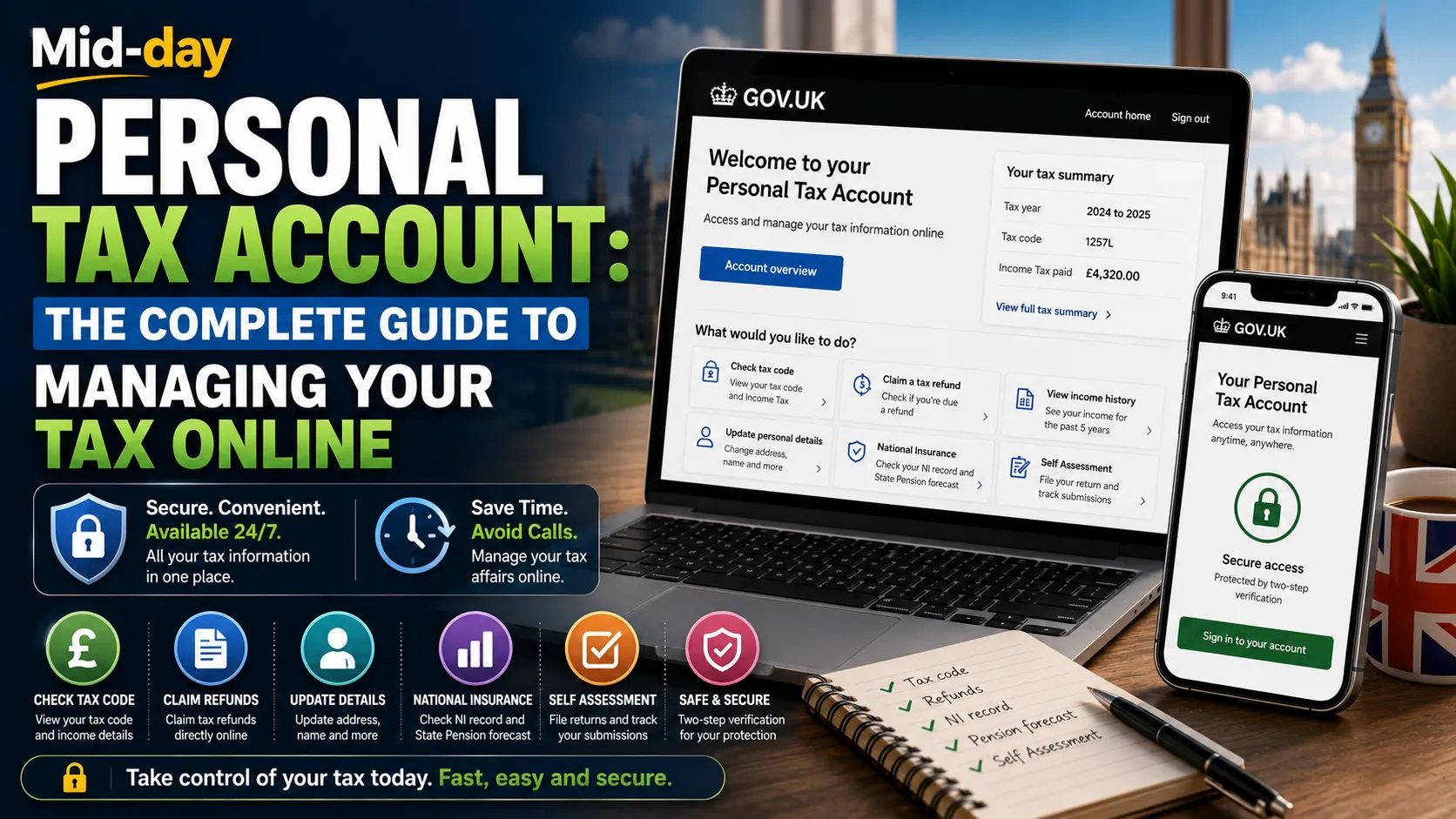
If you have ever spent hours on hold with HMRC or struggled to find a simple answer about your tax code, you are not alone. The UK tax system can feel complicated, and getting through to the right person on the phone is not always easy. Fortunately, there is a simpler way.
HMRC’s Personal Tax Account is a free online service that puts you in control of your tax affairs. It works much like online banking, but for your taxes. You can check your tax code, view your income history, claim refunds, update your address, and much more, all without making a single phone call.
This guide explains everything you need to know about the Personal Tax Account. We will cover what it is, how to set it up, what you can do with it, common problems and how to fix them, and why every UK taxpayer should consider using it.
A Personal Tax Account (often shortened to PTA) is a secure online service provided by HMRC that brings all your tax-related information together in one place. It is your digital window into your tax affairs, available 24 hours a day, 7 days a week.
Think of it as an online bank account, but for your taxes. Instead of viewing your bank balance and transactions, you can view your tax records, income history, tax code, National Insurance contributions, and much more.
| Feature | Detail |
|---|---|
| Cost | Free to use |
| Availability | 24/7 online access |
| Who it’s for | All UK taxpayers |
| Access method | Government Gateway or GOV.UK One Login |
| Official website | www.gov.uk/personal-tax-account |
Every UK taxpayer already has a personal tax account, but you must register to access it. Registration happens through Government Gateway or GOV.UK One Login.
Setting up your Personal Tax Account is free and straightforward. For most people, it takes less time than expected.
Step 1: Visit the official HMRC website
Go to www.gov.uk/personal-tax-account. This is the only official site. Always avoid third-party websites that might collect your personal information.
Step 2: Click “Start now”
This will begin the registration or sign-in process.
Step 3: Sign in or create a Government Gateway ID
Step 4: Verify your identity
HMRC needs to confirm who you are before giving you access. You will need your National Insurance number and at least one of the following documents:
Step 5: Choose how you would like to receive access codes
For extra security, HMRC uses two-factor authentication. You can receive your access codes by:
Step 6: Set your preferences
Choose how you would like to receive legal notices, penalty notifications, and other correspondence, by post or online.
Once your account is set up, you can log in at any time to check or update your details.
Once you have access to your Personal Tax Account, you can manage a wide range of tax matters. Here is what you can do.
Your tax code determines how much tax is taken from your pay or pension. You can:
This visibility helps you spot errors early, so issues can be corrected faster.
If you are self-employed or file your own tax return, you can:
When you sign up for Self Assessment online services, a Personal Tax Account will be automatically created for you at the same time.
If you have paid too much Income Tax, you can:
Many refunds arrive faster through digital processing.
You can tell HMRC about:
Keeping your details accurate reduces correspondence delays and helps avoid incorrect tax calculations.
You can:
You can:
You can find:
If you have been working from home, you can claim working from home tax relief directly through your account.
No more waiting on hold with HMRC. You can access your tax information instantly, at any time of day or night.
Everything is digital. You do not need to keep track of paper letters from HMRC or post documents.
You can see exactly what you owe or are owed, instantly. This helps you avoid unexpected bills or errors.
By regularly reviewing your account, you can spot discrepancies, for example, an income figure that does not match your payslip, or a benefit that has been incorrectly coded.
Your account gives you direct access to information HMRC holds about you. You can track the progress of submitted forms online.
With access to your state pension forecast, tax credits, and marriage allowance information, household tax planning becomes easier.
Once you have been verified and have full access to your personal tax account on the web, you can also sign into the HMRC mobile app. The app offers a quick and easy way to get information about your tax, National Insurance number, and contributions at a time that suits you.
The app is available for Android and iOS smartphones and tablets.
Your Government Gateway username is usually a 12-digit number. If you have forgotten it or your password, use the “Forgotten your user ID?” or “Forgotten your password?” links on the sign-in page.
If you receive an error message saying “authentication – user credentials failed validation,” check that you are entering the correct username and password. Your Government Gateway credentials are different from your Unique Taxpayer Reference (UTR).
If the problem persists, it may be caused by HMRC online services. Contact the HMRC online helpdesk on 0300 200 3600.
If you do not receive the two-step authentication code:
If you enter incorrect details too many times, your account may be locked. You will need to wait or contact HMRC to unlock it.
Make sure your personal details and address are up to date in your personal tax account. If they are not, you could fail telephone security when contacting HMRC.
Many UK taxpayers do not realise they already have a personal tax account and simply need to register to access it. If you have not set yours up yet, you are missing out on a free, time-saving tool.
Your tax code determines how much tax you pay. Errors in your tax code can mean you pay too much or too little tax. Reviewing your tax code regularly is one of the most practically useful things you can do within your account.
If you see an income figure that does not match your payslip or a benefit that has been incorrectly coded, do not ignore it. Report it through your account or contact HMRC.
If you move house or change your name, update your details in your Personal Tax Account. This ensures HMRC records stay current and reduces correspondence delays.
HMRC is increasingly moving towards digital communications. If you have not set up your Personal Tax Account, you may miss important updates or deadlines.
The Personal Tax Account represents a significant shift in how taxpayers interact with HMRC. Instead of waiting for annual tax calculations or calling helplines, individuals can now access their tax information in real time. This transparency empowers taxpayers to take control of their financial affairs.
For employees, the account is fed through employer payroll submissions under the Real Time Information (RTI) system. This means the data is generally updated throughout the tax year rather than just at year end. This real-time visibility is a major improvement over the old system of annual P60s and P45s.
The account also serves as a central hub for multiple aspects of your financial life. It connects income records, benefits, pension forecasts, and tax credits in one place. This integration can highlight discrepancies that might otherwise go unnoticed.
For those approaching retirement, the State Pension forecast feature is particularly valuable. It allows you to see your projected pension and check your National Insurance contributions, helping you plan for the future with greater confidence.
A Personal Tax Account is a free, secure online service from HMRC that allows you to view and manage your tax affairs. It works like an online bank account, but for your taxes.
Visit www.gov.uk/personal-tax-account, click “Start now,” and follow the instructions. You will need to create or sign in with a Government Gateway ID and verify your identity.
Yes, the Personal Tax Account is completely free to use.
You can check your tax code, view your income history, claim tax refunds, update your address, check your National Insurance record, get a State Pension forecast, manage tax credits, submit Self Assessment returns, and much more.
Every UK taxpayer already has a personal tax account. However, you must register to access it.
You will need your National Insurance number and proof of identity, such as a UK passport, driving licence, recent payslip, or P60.
No. Self Assessment is a specific service for filing tax returns. Your Personal Tax Account is a central hub that includes access to Self Assessment, along with many other services.
Yes. Once you have verified your identity and have full access to your Personal Tax Account on the web, you can also sign into the HMRC app.
Use the “Forgotten your user ID?” or “Forgotten your password?” links on the sign-in page. If you need further help, contact the HMRC online helpdesk on 0300 200 3600.
Log in to your account, check if you are due a refund, and follow the instructions to claim it. The refund can be paid directly into your bank account.
HMRC’s Personal Tax Account is one of the most practical digital tools available to UK taxpayers. It gives you round-the-clock access to your own tax records, allowing you to review, update, and manage a wide range of tax matters without ever needing to call HMRC.
Setting up an account is free and straightforward. Once you have access, you can check your tax code, view your income history, claim refunds, update your details, check your State Pension forecast, and much more. The account brings everything together in a single, secure online space.
In an age where digital services are the norm, the Personal Tax Account is a powerful tool to help you stay on top of your financial life. Whether you are employed, self-employed, a landlord, or approaching retirement, this service can save you time, reduce paperwork, and give you greater control over your tax affairs.
If you have not set up your Personal Tax Account yet, now is the time. It takes only a few minutes and could save you hours of frustration in the future.
Read More: Avacta Share Price: AVCT Stock Guide 2026





[…] Read More: Personal Tax Account: Complete Guide to HMRC’s Online Service […]