Physical Address
304 North Cardinal St.
Dorchester Center, MA 02124
Physical Address
304 North Cardinal St.
Dorchester Center, MA 02124

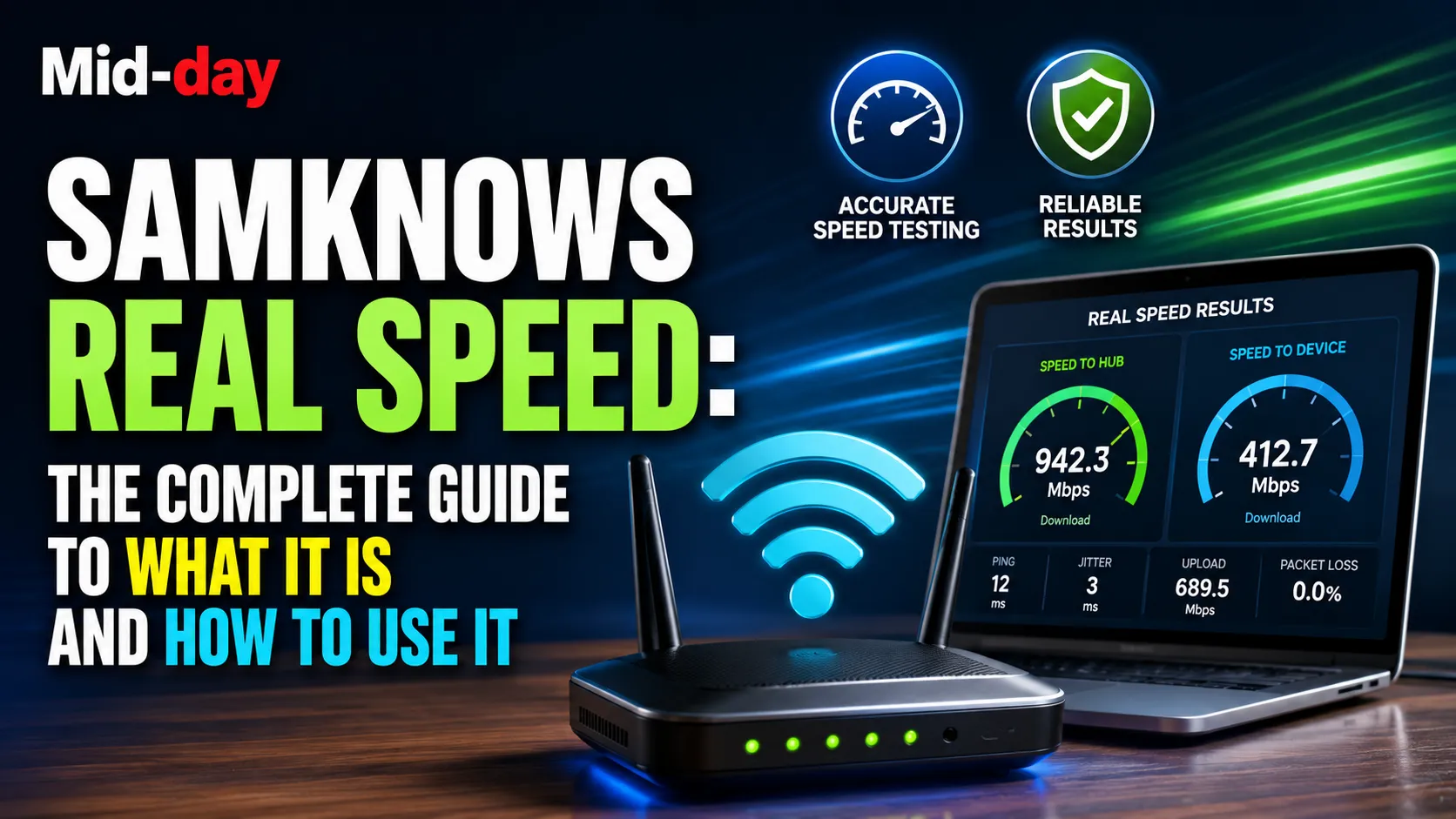
Most broadband speed tests tell you how fast your device is receiving data. SamKnows Real Speed tells you something different and considerably more useful: it measures the speed arriving at your router directly, separate from everything happening inside your home. That distinction matters a great deal when your internet feels slow and you are trying to work out whether the problem is with your provider or something inside your own setup.
This guide covers what SamKnows Real Speed is, how it works technically, why it produces more meaningful results than standard speed tests for diagnosing certain problems, how to use it, and what to do with the results.
SamKnows Real Speed is a two-part internet speed test developed by SamKnows, the broadband performance measurement company now part of Cisco. The product is officially branded as Cisco Real Speed and is accessible at realspeed.net.
The test measures broadband performance in two distinct ways simultaneously. The first measurement is a standard browser-based speed test assessing the speed from your device (phone, laptop, or tablet) to the SamKnows measurement servers. The second measurement, which is what makes Real Speed genuinely different from other tests, is an assessment conducted from within a compatible router’s firmware, measuring the speed arriving directly at the router itself, bypassing your home network entirely.
According to SamKnows’ own product description, Real Speed combines a traditional browser-based speed test with a new kind of speed test embedded within compatible routers, giving users a detailed view of network performance that accounts for both the connection from their ISP and the impact of their home network.
SamKnows was founded in the UK and established itself as the leading independent broadband performance measurement company in the world. It is most widely known in the UK as the company that Ofcom commissions to measure UK home broadband performance. The data SamKnows collects powers Ofcom’s annual UK Home Broadband Performance report, which is the authoritative published benchmark for how different UK broadband providers are actually performing across their networks.
SamKnows’ measurement methodology involves deploying hardware monitoring units (called Whiteboxes) in panelists’ homes and also embedding its SDK into compatible ISP-provided routers. SamKnows also powers broadband measurement programs for the United States Federal Communications Commission (FCC) and other regulators and government bodies in multiple countries.
Cisco acquired SamKnows as part of its network intelligence and assurance portfolio. The SamKnows technology now operates under Cisco’s ThousandEyes platform infrastructure for enterprise and regulatory clients, while the consumer-facing speed test and Real Speed products continue to operate under the SamKnows brand at samknows.com and realspeed.net.
The insight that makes Real Speed worth understanding is that there are actually two meaningful broadband speeds in any home:
Speed to the router: The speed at which data from your ISP’s network is arriving at the router itself. This is the speed you are paying for. If this speed is consistently below your contracted package rate, the problem lies with your ISP or the connection between the street and your home.
Speed to the device: The speed at which data is reaching your specific phone, laptop, or tablet. This number is affected by everything between the router and your device: Wi-Fi signal strength, Wi-Fi interference from walls and other devices, the age and processing power of your device, background applications, the number of other devices sharing bandwidth, and the quality of your router’s Wi-Fi hardware.
Standard speed tests, including widely used tools like Speedtest.net and Fast.com, typically only measure the speed to the device. This means they capture the cumulative effect of all the variables inside your home alongside your actual ISP connection speed. If your Wi-Fi is poor, a standard test will show a low speed even if your broadband connection is perfectly healthy.
Real Speed measures both speeds in the same test and shows them as separate results, making it immediately clear which side of the router the problem sits on.
The router-level measurement component of Real Speed requires compatible firmware to be built into the router itself. SamKnows has partnerships with specific ISPs to deploy its SDK directly into the ISP’s router firmware.
Virgin Media is the most prominent current UK example. Since the Hub 3, Virgin Media has integrated SamKnows firmware directly into its routers. When a Virgin Media customer runs the Real Speed test, the router essentially conducts its own speed measurement by communicating directly with SamKnows’ measurement servers, completely independently of the device running the test.
BT partners with SamKnows for its broadband performance measurement, including running speed tests from its Home Hubs as part of its compliance with Ofcom’s Voluntary Code of Practice on Broadband Speeds.
The specific availability of the router-level test depends on which ISP you are with and which router model you have. If your router does not have SamKnows firmware embedded, running Real Speed at realspeed.net will still give you a standard browser-based speed test, which is still useful, but it will not show a separate router-level measurement.
A full real speed test produces several distinct metrics, not just a download speed number.
The rate at which data is being transferred from the internet to the device or router. Measured in megabits per second (Mbps) or gigabits per second (Gbps). This is the number most people mean when they talk about broadband speed.
The rate at which data is being transferred from the device or router to the internet. Upload speed matters for video calls, file sharing, remote working, gaming, and anything else that requires your device to send data rather than just receive it.
Also called ping, latency is the time measured in milliseconds (ms) it takes for a data packet to travel from your device or router to a measurement server and return. Lower latency means faster response times. For general browsing and streaming, latency under 50ms is acceptable. For online gaming or video calling where real-time interaction matters, latency under 20ms is preferable. Under 15ms is excellent.
Jitter is the variability in latency over time. If individual packets take widely different amounts of time to arrive, the connection feels unstable even if the average latency looks acceptable. High jitter causes video calls to stutter and gaming connections to behave erratically.
Packet loss is the percentage of data packets that fail to reach their destination. Any consistent packet loss, even a small percentage, causes noticeable degradation in video quality, gaming performance, and the reliability of VoIP calls. A connection with no packet loss is functioning well at the transport level.
Traditional speed tests are straightforward and useful for getting a general sense of performance, but they conflate several different factors into one number.
When you run Speedtest.net from a laptop connected over Wi-Fi, the number you see reflects the combined effect of your ISP’s connection, your router’s Wi-Fi hardware, the physical distance and obstacles between your router and laptop, other devices currently using the network, any background processes on your laptop consuming bandwidth, and the laptop’s network adapter capability.
A poor Wi-Fi setup in a house with thick stone walls, interference from a neighbor’s network, or a laptop with an aging network card can all produce low speed test results that have nothing to do with your ISP’s actual performance.
Real Speed separates these variables by measuring at the router directly. If the speed to the router matches your contracted package speed but the speed to your device is significantly lower, the evidence points clearly toward the home network rather than the ISP. If the speed to the router is itself substantially below your contracted rate, the evidence points toward the ISP’s connection, the external cabling, or the cabinet serving your street.
If speed to the router matches your contracted speed but speed to your device is much lower: The problem is inside your home. Common causes include poor Wi-Fi signal coverage, interference from other devices or networks, an overloaded router, or a device with limited wireless capability. Solutions include repositioning your router, adding a Wi-Fi extender or mesh system, using the 5GHz Wi-Fi band instead of 2.4GHz if you are close to the router, or connecting via Ethernet.
If speed to the router is consistently below your contracted package speed: The problem is external to your home. This could be a fault in the external cabling, a problem at the street cabinet, or a network capacity issue at your ISP. In this case, you have a genuine technical fault to report to your provider.
If the test shows high latency, jitter, or packet loss: These suggest connection quality problems beyond raw speed. High latency may indicate routing inefficiencies. Jitter and packet loss often indicate a fault in the physical connection, particularly on older copper-based (ADSL/VDSL) connections.
One of the most practically useful aspects of a router-level speed test is that it produces evidence that is harder for an ISP to dismiss. If a standard browser-based test shows low speeds, a customer service agent can attribute the result to Wi-Fi, device age, or home network setup. If a router-level test shows low speeds at the router itself, that argument does not hold: the measurement was taken before your home network was involved at all.
Take screenshots of your Real Speed results before calling your ISP. Note the date, time, and both the speed to device and speed to hub figures where available.
Most major UK ISPs operate under Ofcom’s Voluntary Code of Practice on Broadband Speeds, which requires them to estimate and guarantee minimum speeds at the point of sale. Under this code, if your speed falls below the minimum guaranteed level and the ISP cannot resolve the issue within 30 days of a formal complaint, you are entitled to exit your contract without penalty.
Virgin Media, for example, operates a minimum download speed guarantee typically set at 50 percent of the advertised package speed. A SamKnows Real Speed result showing the speed to the Hub below this threshold for three consecutive days provides a concrete basis for triggering this guarantee.
A few specific technical features distinguish SamKnows’ measurement methodology from standard commercial speed tests.
Multi-server testing rather than single-server testing. SamKnows tests from multiple servers rather than the single closest server that many speed tests default to. Testing from one nearby server produces optimistic results, since traffic to that server may be prioritized or routed more efficiently than general internet traffic. Multi-server testing provides a more representative overall picture.
Fixed-duration tests rather than fixed-size tests. SamKnows’ test methodology uses a fixed-duration test (running for a set number of seconds regardless of data volume) rather than downloading a fixed size of data. This means the test continues running even at very high speeds, providing more accurate results across the full range of modern broadband speeds from entry-level ADSL through gigabit fiber connections.
Measurement timing that accounts for cross-traffic. SamKnows’ Whitebox hardware units are designed to detect when the network is idle before running automated background tests, which means their panel-based measurements are not contaminated by traffic from other household devices. This is a more methodologically rigorous approach than most consumer-facing speed tests.
Independence from ISP infrastructure. Because SamKnows operates its own measurement server infrastructure independently of any single ISP, the results are not influenced by the ISP’s own servers. Some speed tests, when accessed directly through an ISP’s own portal, may use the ISP’s own servers, which can produce artificially favorable results.
Testing only over Wi-Fi and treating the result as the definitive connection speed. The speed to your device over Wi-Fi includes the performance of your home wireless network, which is separate from your ISP connection speed. Always test via Ethernet to isolate the connection before deciding the problem is with your provider.
Running one test and treating that result as conclusive. Broadband speeds vary throughout the day and between days. Run multiple tests at different times before drawing conclusions about your connection’s typical performance.
Testing with a VPN active. VPNs route your traffic through their own servers, changing the measurement path entirely. Always disable VPN connections before running a speed test if you want results that accurately reflect your home broadband.
Ignoring latency, jitter, and packet loss in favor of only looking at download speed. Download speed is the most visible metric, but for the actual experience of using the internet, latency and jitter often matter more, particularly for video calls, gaming, and interactive applications.
Assuming a speed test result equals your maximum possible speed. Speed test results are a snapshot of available bandwidth at a single moment. They can vary based on server load, time of day, and the number of other devices on your network at the time of testing.
SamKnows Real Speed is one of the most practically useful broadband diagnostic tools available to UK consumers, specifically because it solves the most common ambiguity in home broadband troubleshooting: whether slow speeds are caused by the ISP’s connection or by something inside the home. By measuring performance at both the router and the device, it shows clearly which side of the router the problem sits on.
The test is free, requires no download or installation, and is accessible at realspeed. net. For Virgin Media and BT customers in particular, whose routers have SamKnows firmware embedded, the router-level measurement is immediately available and provides a significantly more diagnostic result than any browser-based test alone.
What is SamKnows Real Speed? SamKnows Real Speed, now officially branded as Cisco Real Speed, is a two-part internet speed test accessible at realspeed.net. It combines a standard browser-based speed test with a router-level speed test (on compatible routers), measuring both the speed to your device and the speed arriving directly at your router. This allows it to distinguish between ISP-side problems and home network problems.
What is the difference between speed to device and speed to hub? Speed to device is the speed measured from your specific phone, tablet, or laptop to the SamKnows servers. It includes the impact of your home Wi-Fi network. Speed to hub is the speed measured directly from your router to the SamKnows servers, bypassing your home network entirely. If speed to hub is high but speed to device is low, the problem is in your home network, not with your ISP.
How do I access SamKnows Real Speed? Visit realspeed.net in any modern web browser. No download or installation is required. If your router has SamKnows firmware embedded, the router-level test will run automatically alongside the device-level test.
Which routers support the router-level Real Speed test? Compatible routers include Virgin Media Hubs from Hub 3 onwards, BT Home Hubs enrolled in BT’s SamKnows speed testing program, and other ISP-provided routers where SamKnows firmware has been deployed by the ISP.
Is SamKnows the same as Cisco? SamKnows was acquired by Cisco and now operates as part of Cisco’s network intelligence and assurance portfolio. The consumer-facing tools continue to operate under the SamKnows brand at samknows.com and realspeed.net, but the product is now officially named Cisco Real Speed.
Is SamKnows used by Ofcom? Yes. SamKnows is the company Ofcom commissions to conduct its UK Home Broadband Performance research, which is published annually and is the primary authoritative source for comparing broadband performance across UK providers.
What should I do if my SamKnows result shows the speed to my hub is below my contracted speed? Take a screenshot of the results with the date and time. Contact your ISP with this evidence. Most major UK ISPs operate under Ofcom’s Voluntary Code of Practice on Broadband Speeds, which requires them to guarantee a minimum speed and allows you to exit your contract without penalty if they cannot resolve a fault within 30 days.
Is SamKnows Real Speed more accurate than Speedtest.net? For standard device-level measurement, both tools are broadly comparable. SamKnows has methodological advantages, including multi-server testing, fixed-duration tests, and its independence from ISP infrastructure. For diagnostic purposes, the router-level measurement in Real Speed is unique and provides substantially more useful information for identifying where a broadband problem is located.
Did you know? Koora Live Football: What’s Legitimate and What’s Risky





[…] Did you know? SamKnows Real Speed: What It Is and How to Use It […]